
Leveraging AI to save call center agents and customers valuable time when every second counts.
Brief & Problem
Keeping up with increasing demands
Call centers are always looking for ways to handle client inquiries more efficiently—helping clients resolve issues faster and allowing agents to support more people with less effort. To meet this need, the CRM Studio team developed a Virtual Assistant (VA) to help agents serve clients by supplying knowledge articles and call summaries, but they were looking to redesign it while adding new features.
As the lead UX designer and researcher, I was brought on to help bring this vision to life—translating stakeholder goals into a cohesive, user-friendly experience and ensuring the revamped virtual assistant was seamlessly integrated into the existing desktop application.
Investigating the user's perspective
To grasp the broader context of the project, I conducted 5 user interviews with call agents across different departments and analyzed survey responses to uncover any challenges and user sentiments about the virtual assistant.
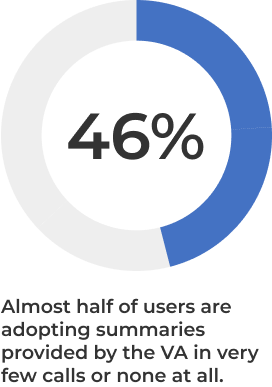
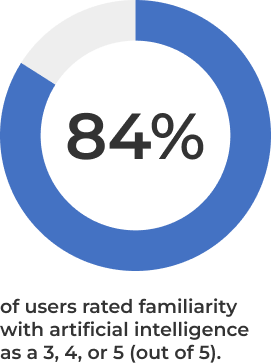
Research findings indicate that users faced challenges finding information quickly in the CRM, supporting the need for real-time assistance during calls. And despite familiarity with AI, about half of users reported frustration with the Virtual Assistant, noting it often disrupts workflows instead of helping resolve client inquiries.
With this in mind, I framed a few key insights to keep in mind:
- Design a new intuitive interface that fulfills call agent needs and helps them support clients efficiently and effectively.
- Redesigning the existing VA to add flexibility for functions such as enabling call summaries to be generated at any time than only at the end of the call.
- With most users already aware of AI in some degree, the focus was not how to convince users to utilize it but rebuild user reliance and trust in the virtual assistant’s capabilities to increase user productivity and reduce ACW and AHT time.
To kick off the design process, I conducted a high-level competitive analysis of existing chatbot solutions, which helped me understand common patterns and key interactions.
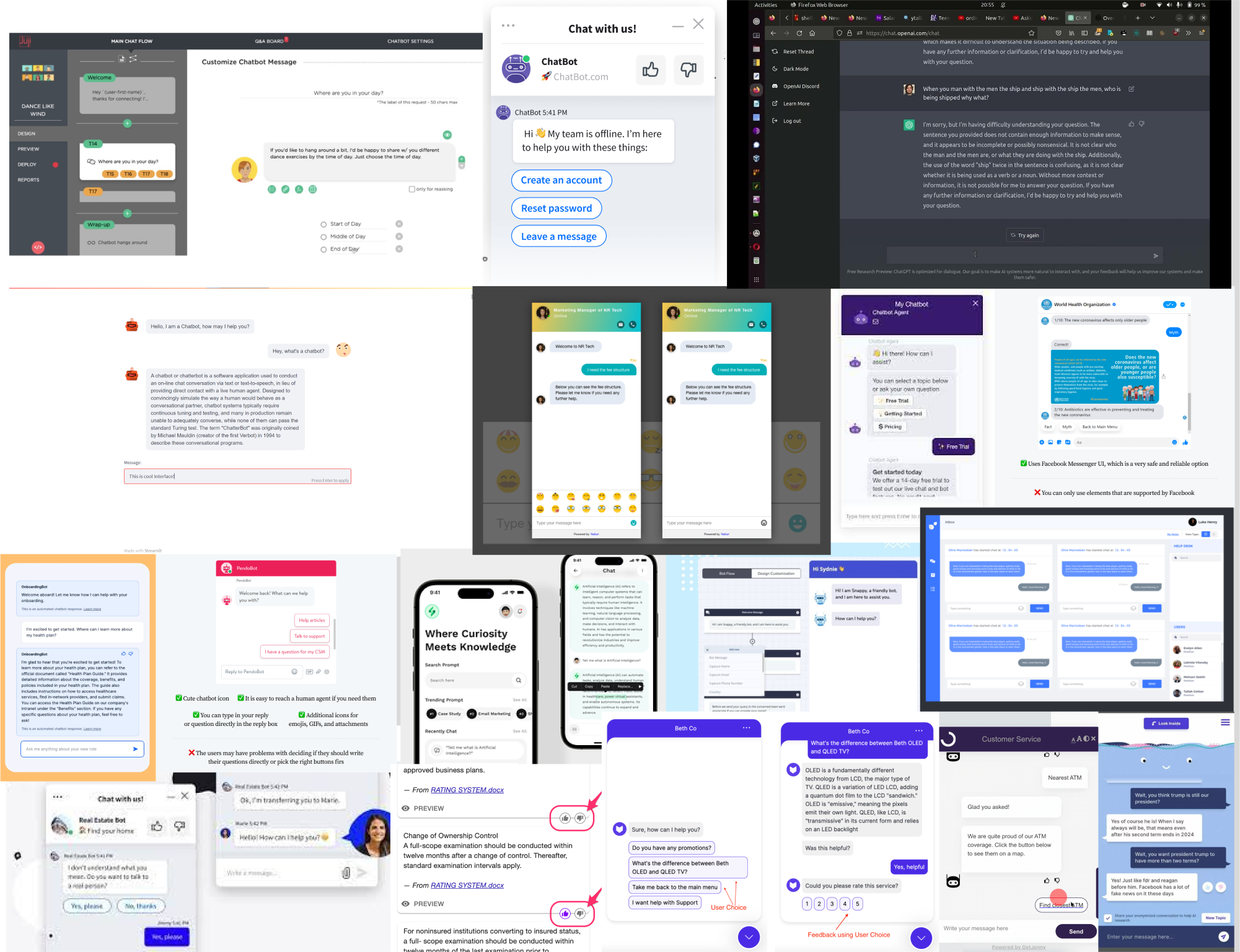
They also often included pre-set, or "canned," actions to guide users toward their next step quickly. In contrast, the current Virtual Assistant lacked a strong visual hierarchy, making interactions harder to follow and less intuitive. This presented an opportunity to improve clarity and usability through better visual structure and action-driven design.
.png)
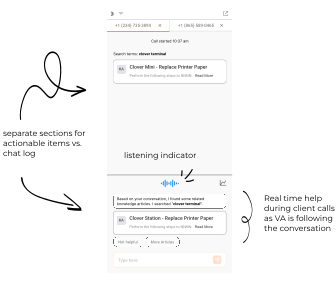
- Incorporated tab navigation to manage multiple call histories, allowing users to easily refer back to previous sessions.
- Introduced an animated sound indicator to visually inform users when audio input is being collected.
- "Canned" action pills to provide users with potential next steps.
- Replaced the tabs at the top with a dropdown list to accommodate more than two calls in a small space.
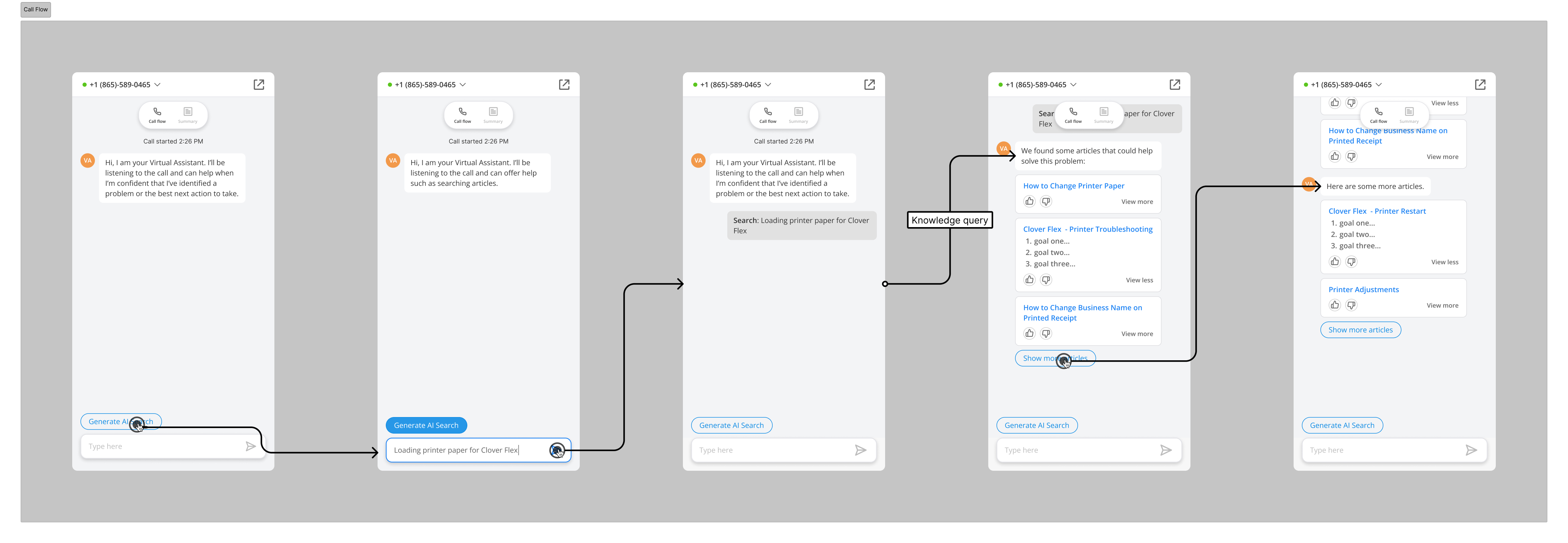
- The layout I chose dividing the view into two sections could leave users confused and frustrated with learning a new UI pattern, so I combined the separated sections into one. This iteration aligns closer to traditional chat interfaces with the simplest capabilities.
- Added a menu navigation at the top keeping the call flow separate from call summaries which can be generated at any time by the user than at the end of the call.
.png)
.png)
- As AI enables more efficient and effective operations, poor user sentiment towards AI played a larger role than expected and required a more thoughtful mindset of not just how to create a successful product but one that users will want to trust and interact with.
- The success of this project allows Fiserv to reduce costs immensely by shaving off minutes ($0.68 per second spent in the call center) for millions of calls for thousands of agents. This enables the call center to handle larger volumes of calls and/or reallocate resources to other needs.
- Reflections - I would have liked to conduct usability tests with call center agents to identify any issues and validate my designs.
.svg)

